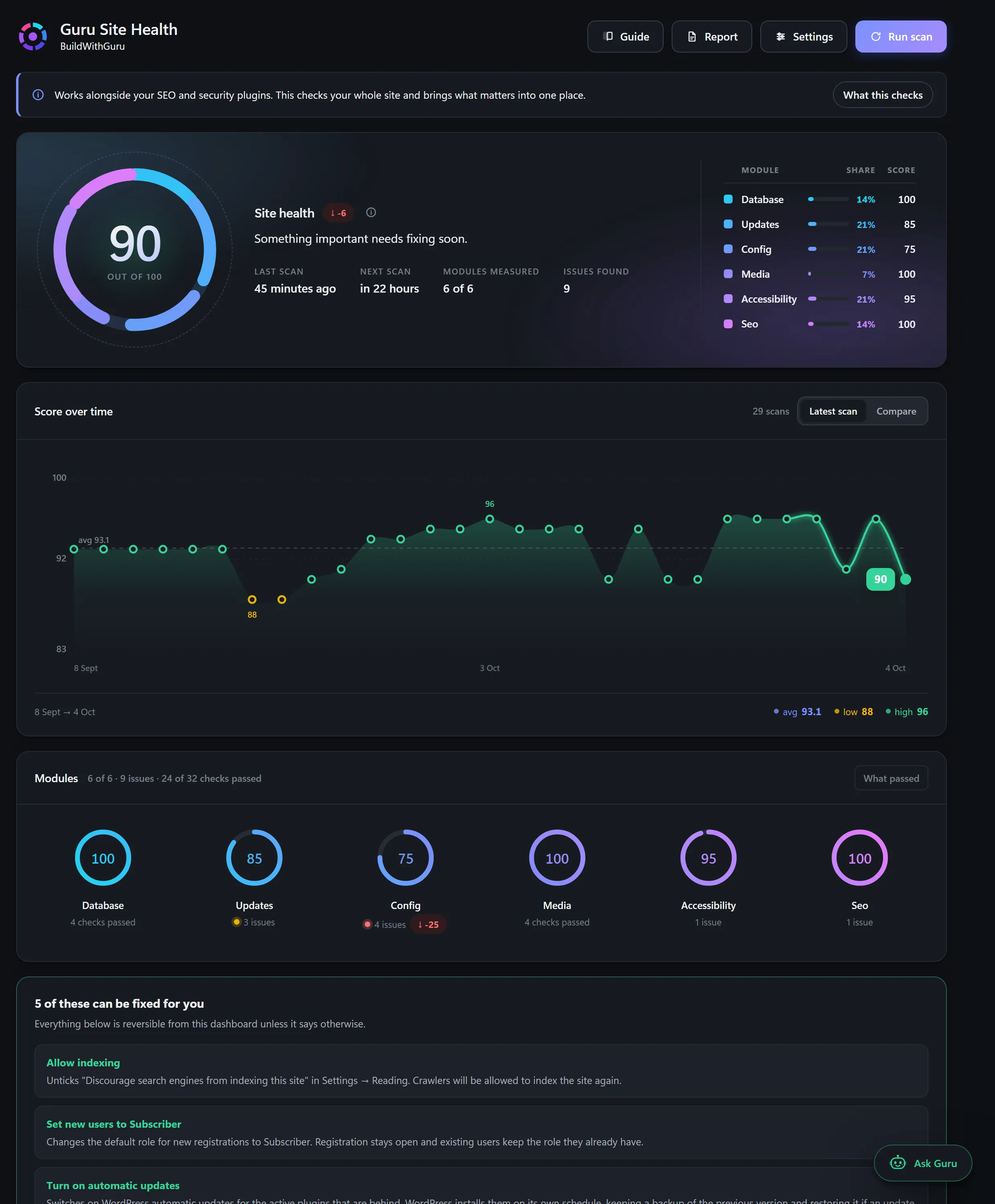
Guru Site Health
A free, open-source WordPress audit plugin that scores a site out of 100, explains each problem in plain English and fixes thirteen of them with one click and an Undo.
Explore ProjectWebsite maintenance
A website is not finished at launch. WordPress core, themes and plugins release updates all the time, many of them security fixes. Left alone, a site slowly becomes slower, less secure and more likely to break. Maintenance is the routine that prevents that.
Skipped updates are the most common route to a compromised WordPress site, and the longer they wait the riskier they get.
Applying everything at once, with no backup, is how sites go down on a Friday afternoon.
Many owners discover their backups were never running only after something has gone wrong.
A new price, opening hours or a photo should not need a new project.
The right plan depends on your site. A five-page brochure site needs far less than a shop that takes orders. That is why we quote maintenance separately instead of publishing one price for everyone.
Typical contents of a plan are listed below. The specifics, including how many small changes are included each month, are written into your quote so you know exactly what you are buying.
Routine care catches problems while they are small and cheap to fix.
A fixed monthly scope replaces surprise repair bills.
The person maintaining it already understands how it was built.
5 clear steps, so you always know what happens next and what is expected of you.
We look at your site, its plugins and its hosting.
A written plan listing exactly what is included each month.
Backups, monitoring and an update routine put in place.
Updates, checks and agreed changes, each month.
A short summary so you can see what was done.
A free, open-source WordPress audit plugin that scores a site out of 100, explains each problem in plain English and fixes thirteen of them with one click and an Undo.
Explore ProjectIt depends on the size and type of the site, and on how many small changes you need each month. We quote it after reviewing your site rather than publishing a one-size price.
A small site still needs updates and backups. The plan can be small too. The risk is not about size. It is about leaving software unpatched.
Usually, after a review. We check the plugins, theme and hosting first and tell you if anything needs fixing before we take it on.
That is why a backup is taken first. If an update causes a problem we restore and investigate before trying again.
Plain-language articles on the questions people ask before they commit.

Guru Prasad YFounder, BuildWithGuru
I design and build every project myself, so the person you talk to is the person who builds it.
Tell us about your business and what you need. We will suggest a practical starting point and explain exactly what is and is not included.